
Logistics Guide
The Logistics Guide is a maid accessory that allows the maid equipped with it to transport items unidirectionally between two containers.
If a maid carries multiple Logistics Guides, she will transport items in sequence according to each guide.
/give @p maid_storage_manager:logistics_manager 1Binding and Unbinding Containers
- Sneak + right-click to bind a container as the source or destination for the Logistics Guide.
- Aim at a bound container and sneak + right-click again to specify which side of the container the maid should use for item input/output.
This is useful for containers that require side-specific interaction (e.g., furnaces ).
Facing a different side of the container will switch the bound face. - Sneak + right-click again on a bound container to unbind the current container.
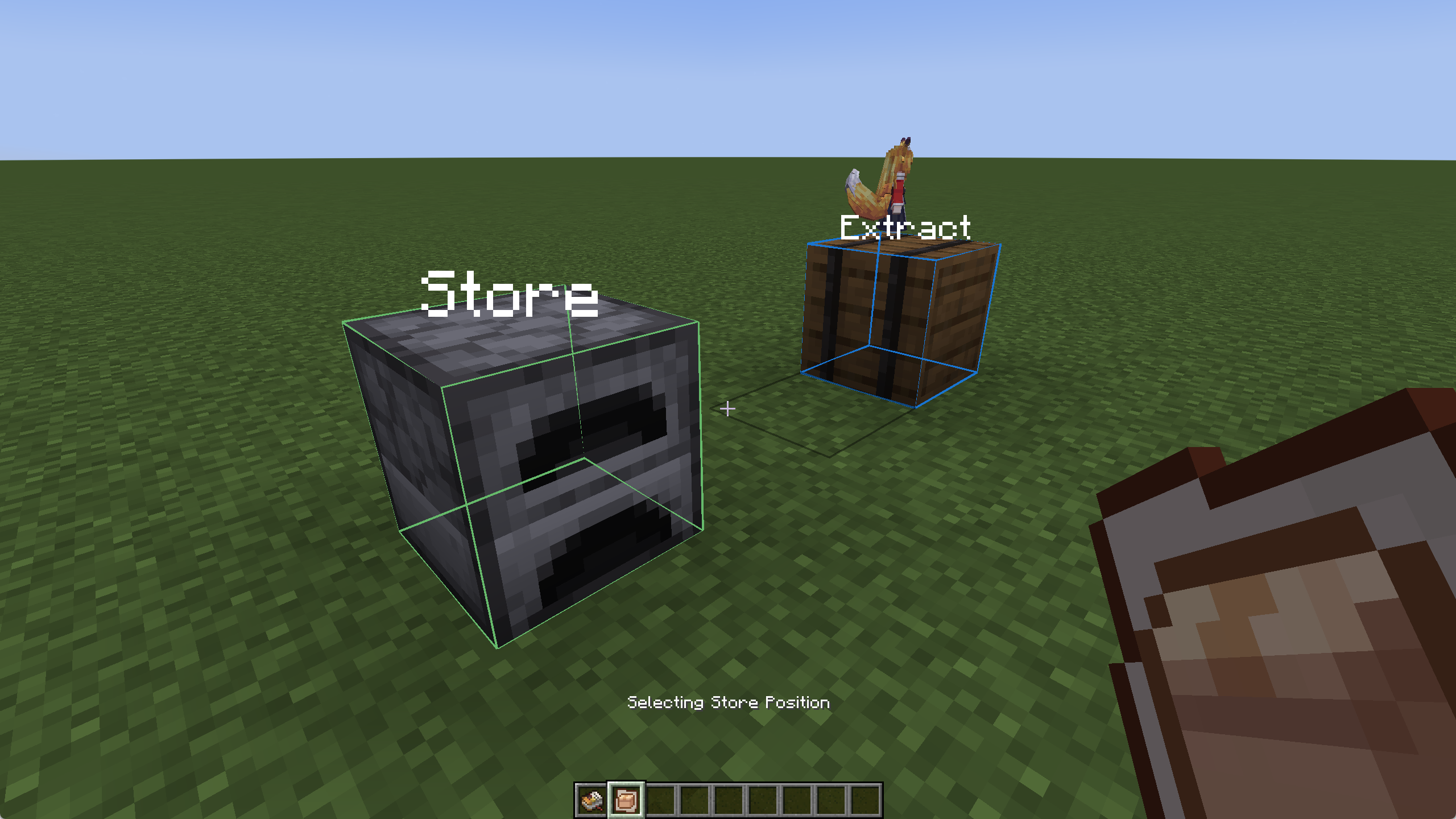
Binding Container
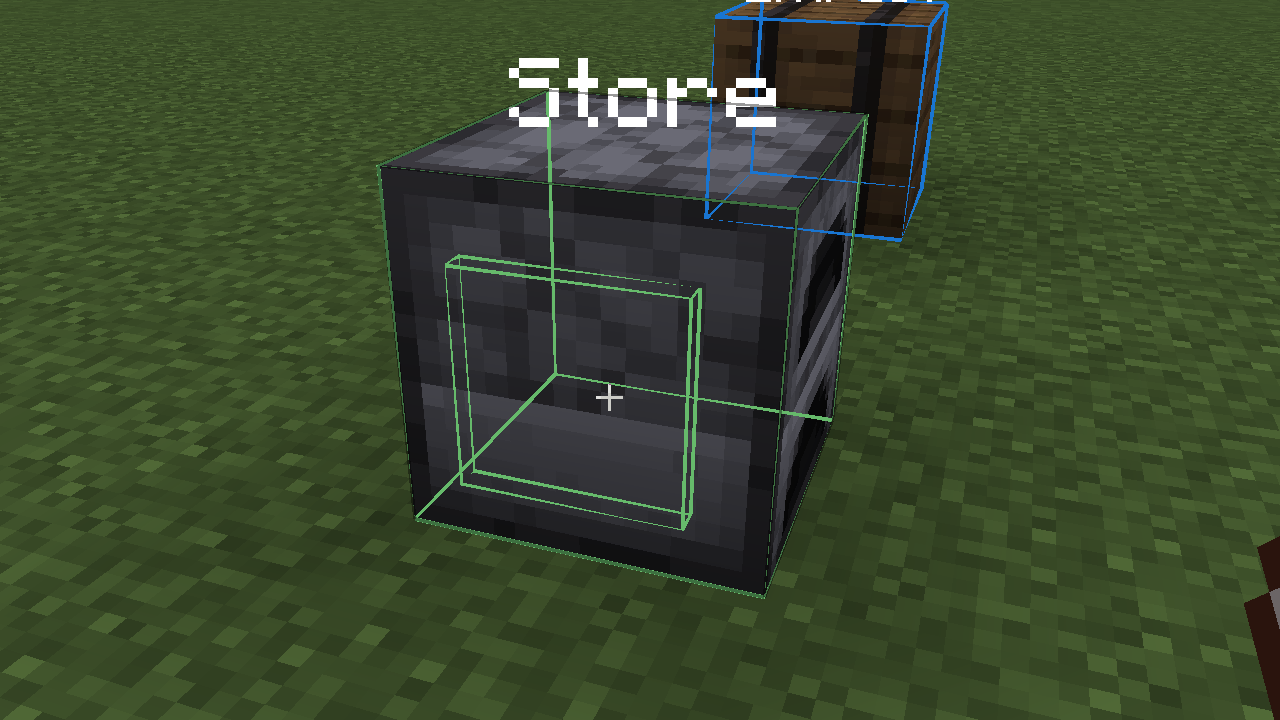
Binding a Specific Face
Logistics Guide Settings
When opening the Logistics Guide interface, the containers for item input and output will be displayed beside the maid.
The button in the bottom-right corner allows you to set whether the maid transports one item at a time or an entire stack.
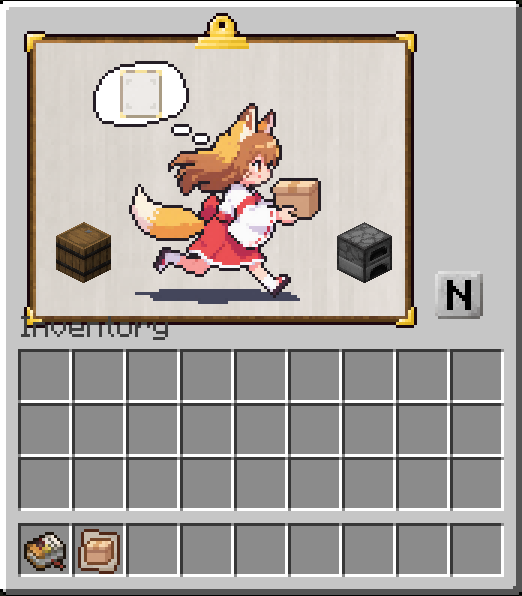
You can place a Filter List or a Craft Guide into the maid’s bubble slot. Once inserted:
- Filter: The maid will follow the filter’s rules when transporting items.
- Crafting Guide: The maid will take ingredients from the “input” container, craft the specified product, and place the result into the “output” container.